Installing apps is probably one of the best things about using an Android phone. You need something for editing photos, tracking habits, scanning documents, learning something new, or just entertainment. There is usually an app available. But after using Android phones for years, I have learned one thing.
Installing every interesting app you see is not always a good idea. I also used to download many random apps just to test them. Some looked useful at first, but after a few days, I realized I was not even using most of them. Now, before installing any new app, I spend a little extra time checking a few things. It does not take long, but it helps avoid unnecessary problems.
Don’t Install Every App Without Checking
Many people install apps quickly. They see a good screenshot, read one or two lines, and press install. I used to do the same. The problem is that a good-looking app is not always a good app.
Before installing something new, check basic details:
- Who created the app?
- When was it last updated?
- Do users mention any problems?
A few minutes of checking can save you from installing low-quality apps.
Be Careful With App Permissions
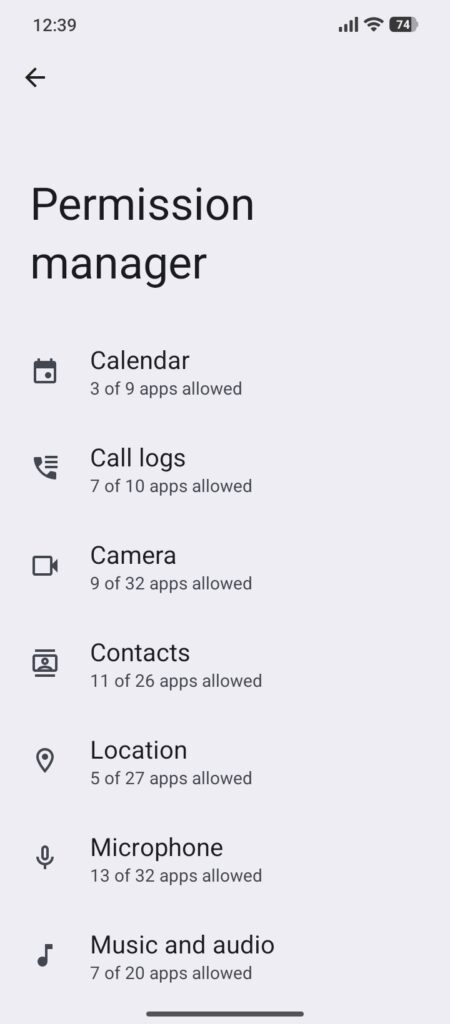
Permissions are one of the first things I check now. Sometimes an app needs access for a real reason. For example, a camera app obviously needs camera permission. A navigation app needs location access.
That makes sense. But if a simple flashlight or calculator app asks for your contacts, microphone, or unnecessary information, you should think twice. Not every permission request is dangerous, but it should match what the app actually does. Android now gives much better control over permissions, so it is worth checking them.
Download Apps From Trusted Places
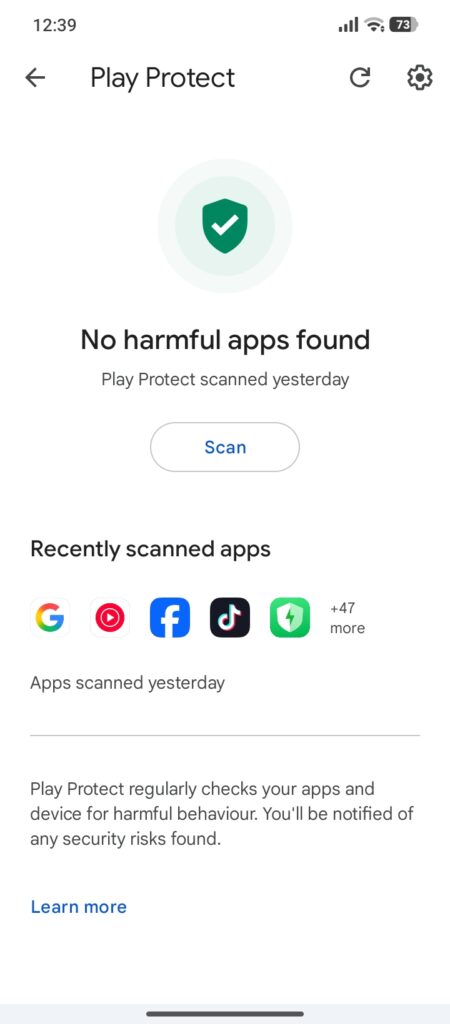
One advantage of Android is freedom. You are not limited to only one way of installing apps. But that freedom also means you need to be careful. Downloading random files from unknown websites can create problems. Sometimes people download modified versions of paid apps because they look attractive. The issue is that you usually do not know what changes were made inside those files. For normal users, trusted app stores are usually the safer option.
Check Reviews Carefully
Reviews can tell you a lot, but only if you read them properly. I do not only look at the rating number. Sometimes an app has a good rating, but recent users are reporting issues. Checking recent reviews gives a better idea.
Look for things like:
- Battery problems
- Too many ads
- Strange behavior after installing
Real user feedback is often helpful.
Remove Apps You No Longer Use
Keeping old apps installed is something almost everyone does. I have opened my app list before and found apps I completely forgot about. If you have not used an app for months, ask yourself if you really need it. Unused apps can still receive updates, take up storage, and sometimes run background processes. Cleaning your app list occasionally keeps your phone easier to manage.
Keep Your Phone And Apps Updated
Many people ignore updates because they think updates only bring new designs or features. But updates are not always about new things. Many updates fix problems and improve security. You do not need to install every update the second it arrives, but ignoring updates forever is not a good habit. Keeping important apps updated helps your phone stay protected.
Avoid Apps That Promise Impossible Results
Some apps make very big claims.
For example:
- Make your phone extremely faster instantly.
- Increase battery magically.
- Boost performance with one click.
I am always careful with these types of promises. Modern Android phones already have many built-in tools. A simple app usually cannot magically change your device. Before trusting any app, check if the claim actually makes sense.
Check Apps Running In The Background
Sometimes an app works normally but uses more resources than expected. Android allows you to check what apps are doing.
You can review:
- Battery usage
- Data usage
- Permissions
If an app you barely use appears everywhere, it may be worth checking. Understanding your own phone settings is better than installing another app to fix everything.
Think Before Giving Account Access
Many apps allow signing in with different accounts. It is convenient because creating new accounts takes time. But you should only connect your accounts with apps you trust. If an app does not look reliable, avoid sharing unnecessary personal access. A few extra seconds of checking is better than regretting later.
Final Thoughts
Keeping your Android phone safe does not mean you have to stop installing new apps. Apps are what make smartphones useful. The important thing is choosing apps carefully. Check permissions, download from trusted sources, remove apps you do not use, and pay attention to unusual behavior. Most problems can be avoided by simply being a little more careful before pressing the install button. A clean phone with fewer trusted apps is usually better than a phone full of random apps you never use.