Most people think their Android phone becomes slow only because it is getting old. I used to think the same. Whenever my phone started taking extra seconds to open apps or the keyboard became slow while typing, my first thought was that maybe the phone was outdated. But after using different Android phones, I noticed something else. Sometimes the phone itself is not the main problem. The way we use it every day slowly affects its performance. A few small habits that look completely normal can make a phone feel much slower after some time.
Here are some common mistakes many Android users make without realizing it.
Keeping Too Many Unused Apps Installed
This is probably one of the first things I check whenever a phone feels slow. Most of us install an app for one specific purpose and then forget about it. Maybe it was a photo editing app, a shopping app, or some tool we needed only once. The problem is that some apps do not just sit quietly.
They can:
- Use storage
- Send notifications
- Run background processes
I once checked my app list and found apps I had not opened for months. Removing unnecessary apps did not magically make my phone brand new, but it definitely made things cleaner and easier to manage.
Ignoring Phone Storage Until It Is Almost Full
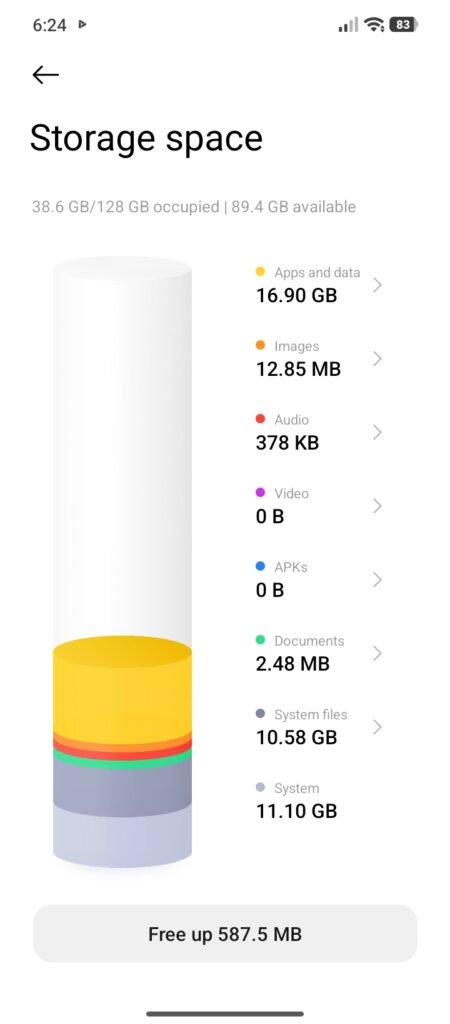
Many people only check storage when the phone finally shows a warning. By that time, the phone may already feel slower. Photos, videos, downloaded files, and app data slowly build up. A phone needs some free space to work properly. I personally try not to wait until storage reaches the last few GB. Deleting duplicate photos, old downloads, and files you no longer need can help keep things smoother.
Never Restarting The Phone
This sounds too simple, but many users ignore it. Some people keep their phone running continuously for weeks. Modern phones are designed for this, but a restart once in a while can still help. I have seen situations where an app was acting strange or the phone felt slower, and a simple restart fixed it. It refreshes the system and closes processes that may be stuck.
Installing Apps From Random Sources
Android gives users a lot of freedom, which is one reason people like it. But installing apps from unknown places can create problems. Not every app outside trusted sources is harmful, but random apps can sometimes be poorly optimized. A badly made app can affect performance, battery, and storage. Before installing anything, it is better to check if you actually need that app. More apps do not always mean a better phone experience.
Keeping Everything Running In The Background
Many apps are designed to stay active. Messaging apps, email, and important services need background activity. That is normal. The problem starts when every app gets the same permission. A game you rarely play probably does not need to stay active all day. Checking background activity occasionally can help you understand what your phone is doing.
Ignoring App Updates For Too Long
I know some people avoid updates because they think every update makes apps heavier. Sometimes that can happen, especially on very old phones. But ignoring updates forever is also not a good idea.
Updates often include:
- Bug Fixes
- Security Improvements
- Performance Changes
The better approach is balance. Keep important apps updated and remove apps you no longer use.
Using Too Many “Cleaner” Apps
This one surprises many Android users. A lot of people install extra cleaner or booster apps because they want to make their phone faster. Years ago, these apps were very popular. But modern Android phones already manage memory much better. Sometimes installing multiple cleaner apps creates the opposite effect. You add another app that runs, sends notifications, and uses resources. The built-in phone settings are usually enough for normal cleaning.
Keeping The Home Screen Too Heavy
This depends on the phone, but it can matter. Too many live wallpapers, widgets, and constantly updating items can make some devices feel slower. New flagship phones handle this easily. Older or budget phones may struggle more. Keeping the home screen simple can improve the overall feeling of speed.
Not Checking What Changed Recently
Whenever my phone suddenly becomes slow, I usually think about what changed recently. Did I install a new app? Did I change a setting? Did storage become full? Many times, the reason is something small. Randomly changing every setting usually creates more confusion. Finding the actual cause works better.
Final Thoughts
Android phones do not usually become slow overnight. Most of the time, performance drops slowly because of small things we do every day. Keeping unused apps, ignoring storage, installing unnecessary tools, and never checking settings can affect the experience over time. You do not need to constantly clean your phone or worry about every little setting. Just developing a few better habits can help your Android phone stay smoother for a longer time.